Hi, our beloved Astroid's fans,
I'm so excited to inform you about a new version of Astroid framework available for download and update. This release comes with a bunch of updates, improvements and bug fixes.
Hi, our beloved Astroid's fans,
I'm so excited to inform you about a new version of Astroid framework available for download and update. This release comes with a bunch of updates, improvements and bug fixes.
But interestingly there are several beautiful blog styles brought in this version. You can make use of these flexible blog styles to set up a newspaper, magazine, news portal, or blog website with ease.
Apart from the default listing layout (Blog Image Top), you can have new blog styles such as Blog image right, Blog image left, Blog image zigzag, and blog image bottom. Astroid 3.0.14 provides you with tons of blog options to choose blog layouts and configure the image width on different devices, hiding and showing elements at your fingertips.
Blog Image Right: The article's image is on the right, and title, and intro text are on the left
 Blog Image Right
Blog Image Left: The article's image is on the left, and the title, intro text are on the right
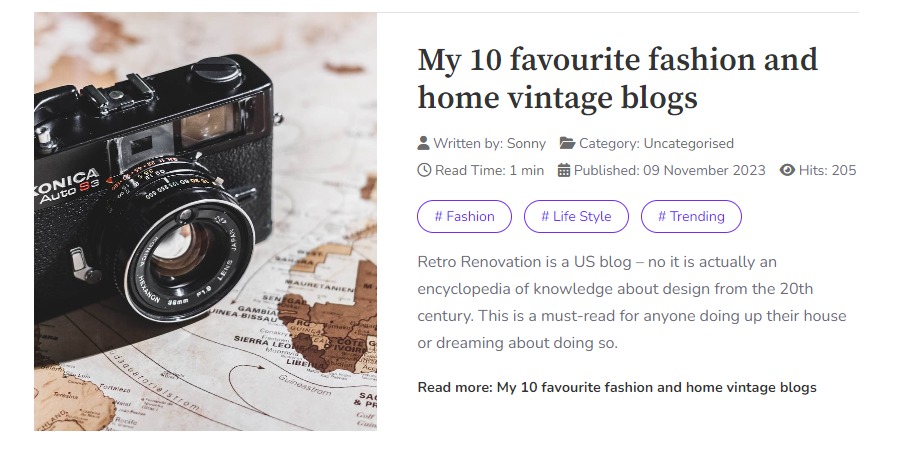 Blog Image Left
Blog Image Zigzag: the placement of image and text are alternated on a horizontal row

Blog Image Zigzag
Blog Image bottom: The article's image is placed below the title, intro text, and others.
 Blog Image Bottom
Let's have a brief look at what were added in this update!
Astroid Framework 3.0.14 Changelog:
Added
- Add Blog Layout - Left, Right, Zigzag, Center
Updated
- Fontawesome 6.5.2
- Update en-GB.astroid.ini
- Add Menu Assignment feature to Component & Message
- Improve article page style
- Update layout megamenu style
- Update alias for slick libraryImproved
Improved
- Update default value of Mega Menu field from align right to align left
- Check if logo file is exist then display
- Add GPL license to Subform & JD Rating
- Improve Menu Assignment style
- Update astroidlist and astroidtext compatible J5
Fixed bugs
- Fix issue modal not load of Astroid Menu on Joomla 5.1
- Fix issue with Article Anywhere #645
- Fix issue Menu Assignment selected #633
Why are you hesitant to implement the update? Let's start upgrading Astroid 3.0.14 today to take advantage of the latest goodies. You can update the component using the single-click updater in Joomla or download the latest package on Github, then install it manually. If you have any problem with the update, don't hesitate to contact us or post your issues HERE.
Download It On GitHub! Learn More Astroid Templates